Red Skies at Dawn · Development capturesNative WebGPU · v0.72.3
02 / Demo reelCaptured in Junklab Engine
One island. Dawn to moonlight.
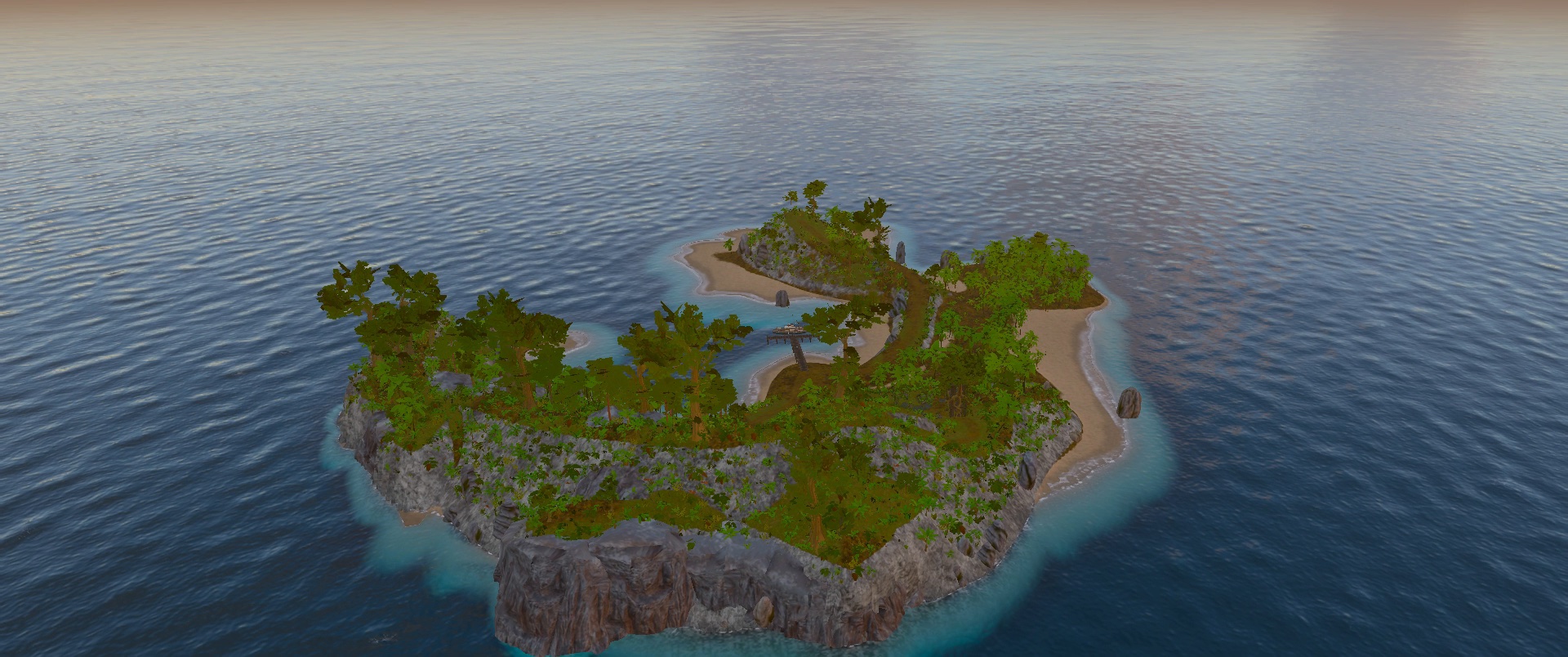
A one-minute flight around a Red Skies at Dawn island: first light over the lagoon, the harbour, the jungle canopy, sea cliffs, the lighthouse, a passing storm and the island by moonlight.
Red Skies at Dawn · Island reel1:09
Contains lightning and flashing effects. Press play to watch with sound.
Island plan · camera routesRed Skies development map
Plan the flight
Shape the island. Then fly it.
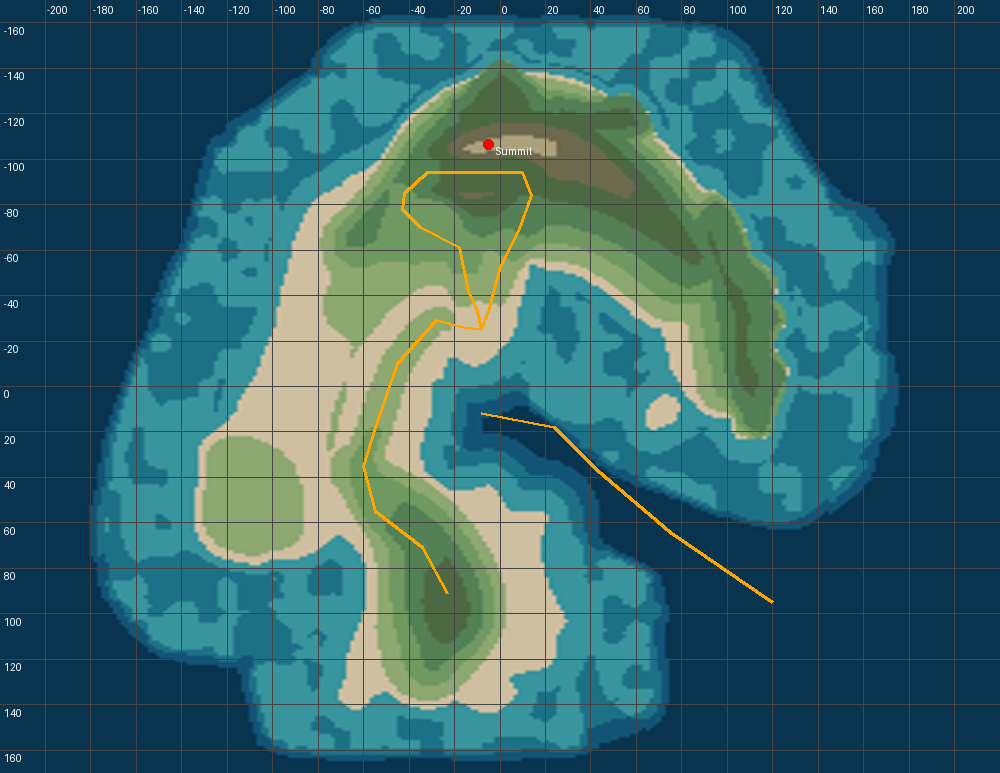
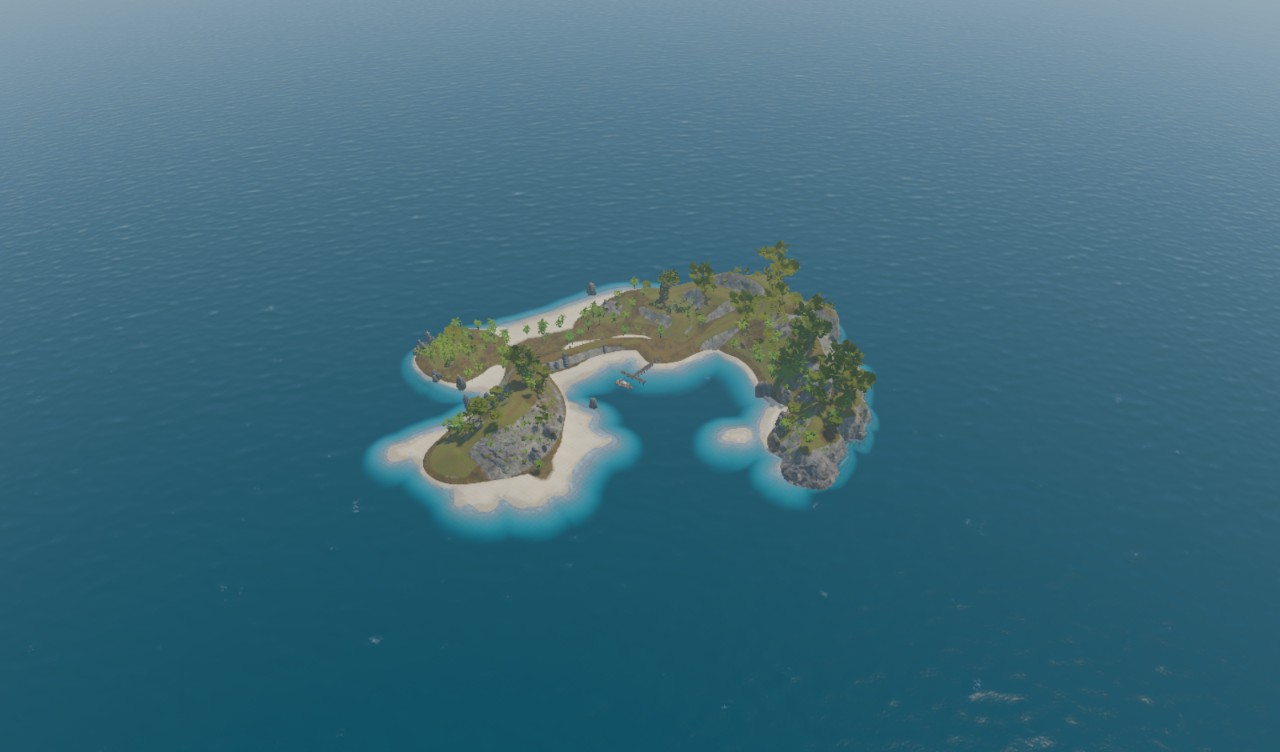
The same island in plan: a hook of ridge and beach around a sheltered lagoon. Camera flights are authored in the editor as timed waypoint paths you can preview in place.
Generate a starting point. Sculpt a coastline. Place the things that make it yours. The editor keeps that process visual, editable and connected.
Procedural foundations. Authored details.Red Skies development capture ↗
01
Find the shape.
Explore island silhouettes, reroll the coastline and highlands, then sculpt and paint the terrain.
02
Bring it to life.
Scatter vegetation, place models, build material graphs and tune the environment through labelled controls.
03
See the whole picture.
Preview your world, author a camera flight and inspect performance. Undo, refine and save your work.
Scene hierarchyVisual materialsReusable prefabsUndo / RedoSave / OpenPlay / Preview
05 / Next in the editorDesign previews · in development
A calmer editor. A shader editor.
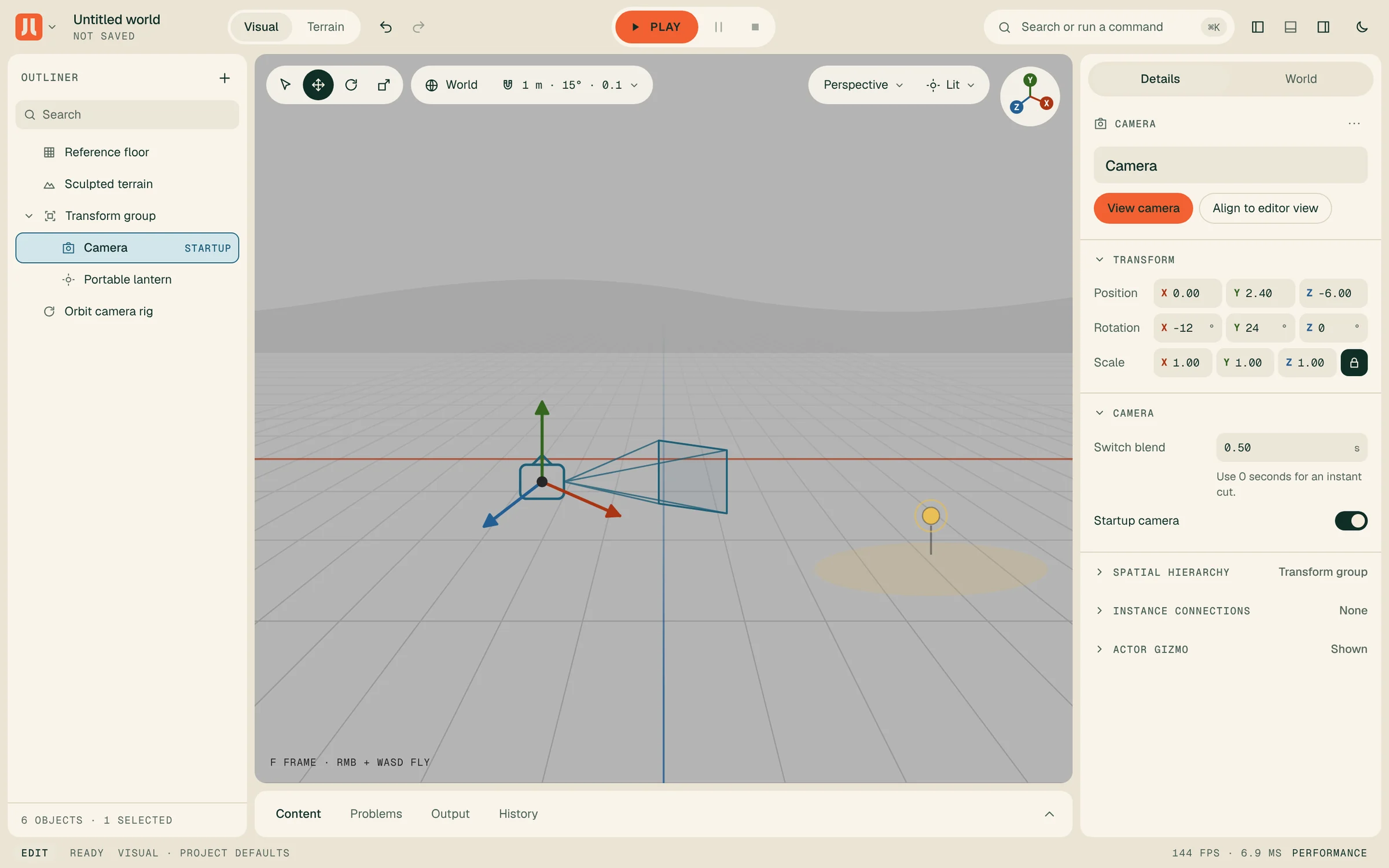
The editor is being redesigned around the Junklab palette, with dark and light themes, and the material editor is growing into a node-based shader editor with WGSL code nodes and per-vertex movement. These are design previews, not screenshots; the released interface may differ.
Design previews · not screenshotsLight theme · camera selected
06 / Inside the engineCurrent capabilities · v0.72.3
Small pieces. Serious capability.
Explore the current toolset, from rendering and world building to the details that keep development moving.
01
Direct WebGPU rendering
A dedicated rendering pipeline for detailed worlds, expressive light and responsive real-time views.
Physically based materials with opaque, cutout and transparent surfaces
GPU instancing, skeletal skinning and morph targets
Directional, hemisphere, fill and point lighting
Cascaded directional shadows and image-based lighting
Planar reflections and screen-space ambient occlusion
HDR temporal reconstruction with optional rigid-object motion history
ACES, AgX and AgX Punchy tone mapping
02
Visual world editing
Assemble, inspect and refine a world in the same workflow you use to preview it.
Searchable outliner, object catalogue and command palette
Move, rotate and scale tools with snapping and surface placement
Scene hierarchies, groups and reusable prefabs with overrides
Labelled property inspectors and extensible authoring panels
Spline editing and camera framing tools
Undo and redo, portable world save and open
Play, pause and stop preview with viewport inspection tools
03
Sculptable terrain
Shape the landscape by hand, generate a starting point and build detail in editable layers.
Raise, lower, smooth, flatten, roughen and terrace brushes
Erosion, stamp and ridge tools with editable sculpt layers
Seeded terrain generation and hydraulic erosion passes
Surface-material and foliage-density painting
Authored terrain paths, cliff paths and automatic cliff placement
Environmental masks, surface diagnostics and map export
Terrain height, surface and placement queries
04
Procedural islands and coastlines
Explore distinct landforms from a seed, then take direct control of the coastline.
Seeded island and archipelago generation
Noise-formed bays, peninsulas, islets and enclosed water
Twelve-candidate silhouette gallery using project-supplied families
Independent shape, coastal-detail and highland rerolls
Editable land and lagoon boundaries
Coast smoothing and roughness controls
Preview and apply workflow with site and route conflict checks
05
Scatter and vegetation
Populate environments with repeatable rules, local variation and vegetation that responds to wind.
Seeded placement with density, scale, tilt and asset-weight controls
Clustering and companion planting around parent assets
Height, slope, depth and surface-material rules
Painted density channels and polygon, path or circular exclusions
Pinned placements and terrain-aware grounding
Breeze-to-storm foliage movement and thin-leaf light transmission
Distance-based level of detail with dithered transitions
06
Visual material authoring
Build reusable surface materials with a node graph and see them through the native renderer.
Node graphs for textures, normals, colours, vectors and arithmetic
Graph validation, reusable material assets and exposed parameters
Native WGSL compilation and live material previews
Layered materials and height-blended terrain surfaces
Texture bombing, distance blending and triplanar projection
Colour variation and roughness response controls
Packed terrain colour, occlusion, normal, height and roughness data
07
Sky, weather and atmosphere
Bring project-authored environmental state to life through layered sky, lighting and weather rendering.
Atmospheric scattering and volumetric cloud rendering
Sun and moon presentation with cloud-shadow lighting
Layered height haze, fog and mist
Rain rendering and weather-responsive surfaces
Wetness, puddling and wind-driven vegetation
Bloom, sun shafts and scene-linear colour grading
Lens effects including vignette, grain and chromatic fringe
08
Ocean and shoreline rendering
Render project-supplied wave and shore data as reflective water, coastal wash and underwater atmosphere.
Wave-field rendering with reflected and refracted water
Water colour, clarity, turbidity and caustic controls
Wake rendering and shallow-water appearance
Directional beach foam and terrain-following shoreline wash
Wet-sand darkening and retreating stranded foam
Underwater light absorption and scattering
Weather-responsive coastal lighting and water presentation
09
Cameras and cinematic flights
Author the route, framing and pace of a camera move, then preview and refine it in the world.
Scene and attached cameras with lens and framing controls
Timed position, look-at and field-of-view waypoints
Smooth path interpolation and editable orbit generation
Once, closed-loop and ping-pong playback
Flight preview with play, pause, restart and scrubbing
Capture current view, inspect waypoints and show path guides
Undo, redo and portable saved camera routes
10
Assets and animation
Bring models and textures into a reusable asset pipeline with explicit control over animation and instances.
glTF and GLB model loading
KTX2 compressed textures and standard image textures
Colour conversion and complete mipmap preparation
Reusable model and texture caches
Named animation-clip playback and skeletal skinning
Morph targets and per-node transform overrides
Model instances with shared geometry and individual transforms
11
Collision and spatial tools
Connect objects to their surroundings with reusable static collision and world-query capabilities.
Shared static triangle acceleration across model placements
Ray, capsule and ground-support collision queries
Transformed static colliders with explicit resource ownership
Terrain height and surface sampling
Viewport object picking and inspection
Spatial influence volumes and blended environmental values
12
Performance and extensibility
Measure the work, reuse prepared data and connect the engine through clear, versioned interfaces.
Independent frustum culling for main, shadow and reflected views
GPU instance culling, indirect draws and cooked spatial hierarchies
Preparation caches and a validated Derived Data Cache
Current-frame pipeline warmup
Frame pacing, CPU, loading and resource diagnostics
Optional asynchronous GPU pass timing and visual debug views
Modular TypeScript package with explicit public exports
Portable validated world data, runtime capabilities and editor extensions
Built for the web. Open to your ideas.
Junklab Engine is in active development and requires WebGPU-capable hardware and a compatible browser. Environment rendering connects to your project’s simulation and assets. Let’s discuss the right fit for your platform and production.
Engine × Game
Developed through making
Real worlds. Real development.
Red Skies at Dawn is the engine’s first production project. The engine and editor grow alongside it, turning the needs of a real game into reusable tools for the next world.